MacStories: iPadOS Lets You Automate Window Placement with Shortcuts »

From MacStories: In iPadOS’ Shortcuts app, the existing ‘Open App’ action was recently updated with the ability to launch an app with a specific window placement parameter.

From Federico Viticci at MacStories:

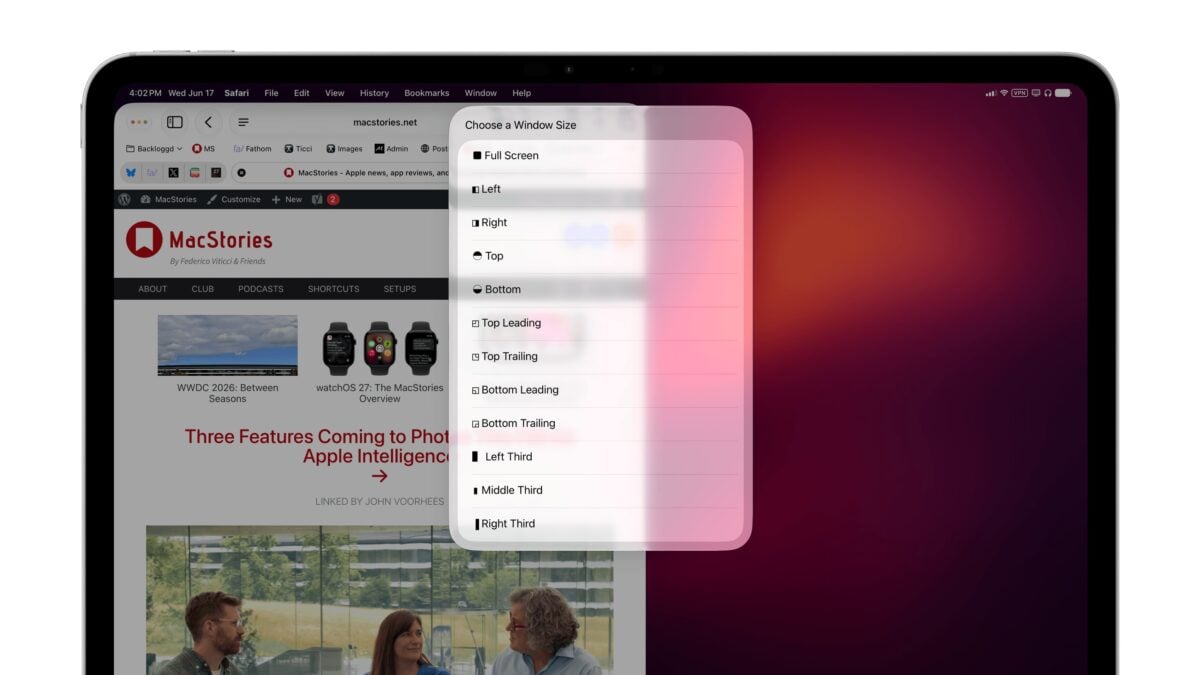
In iPadOS’ Shortcuts app, the existing ‘Open App’ action was recently updated with the ability to launch an app with a specific window placement parameter. This means you can now automate window positions on iPad by opening a bunch of apps and programmatically selecting where their windows be placed.

To find this feature, use the ‘Open App’ action in Shortcuts and expand it to reveal the new ‘Window Location & Size’ field. Here, you can click the default ‘Full Screen’ value to reveal a host of options:

  • Full Screen
  • Left
  • Right
  • Top Bottom
  • Top Leading
  • Top Trailing
  • Bottom Leading
  • Bottom Trailing
  • Left Third
  • Middle Third
  • Right Third

Federico also created a “MultiSwitcher” shortcut to go along with it –check out the full piece on MacStories.


Posts You Might Like

Guest Spot: Sigmund Judge’s podcast Magic Rays of Light
New in the Shortcuts Library: Luma shortcuts
Shortcuts for Luma, the event platform of choice for the Siri AI Automators meetup as well as CommunityKit. Use these shortcuts to create events or calendars, open your schedule, and interact with your profile.
Six livestreams around Siri Shortcuts to watch
CNBC: New Siri is “still on track to launch 2026” »
After reports that the new Siri won't be coming in iOS 26.4, Apple has confirmed a 2026 release to soothe investor worries.