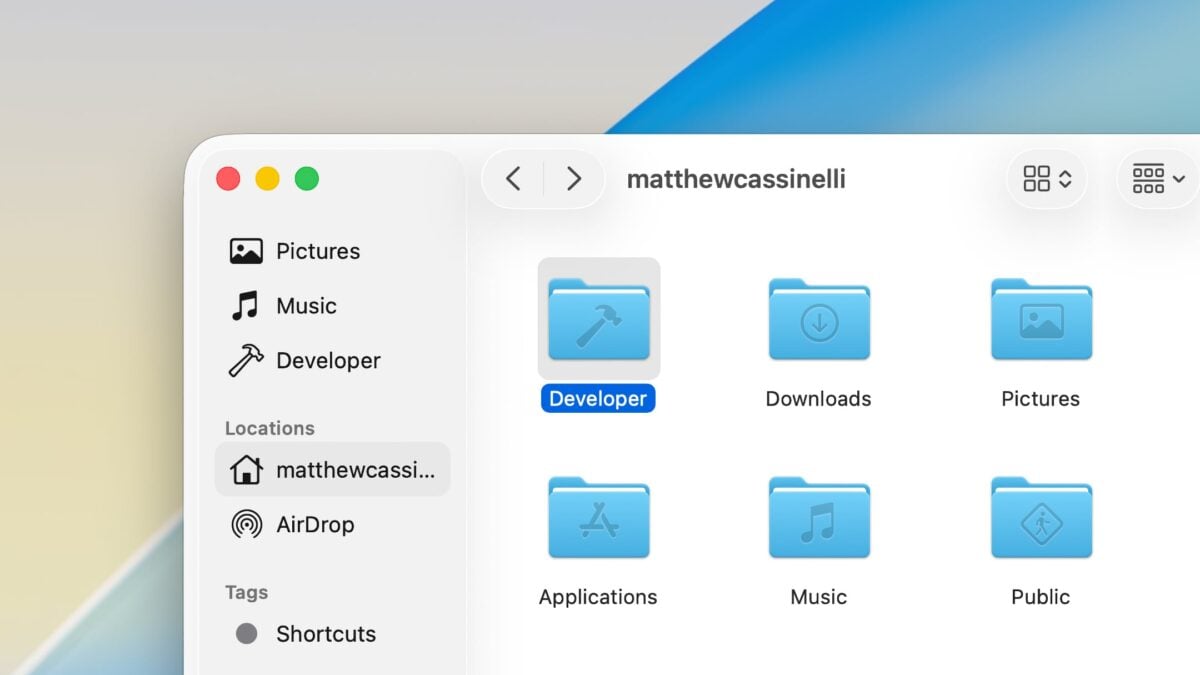
Tip: Create ~/Developer in Your Mac User Folder for AI Projects

If you're building with a Terminal chatbot, make yourself a Developer directory to store all your projects.

If you’re dabbling with tools like Claude Code, you might not have the mental models as typical developers who use the Terminal – I know I don’t, coming from the Shortcuts world.

One simple tip to help you get started is creating a home directory for all your projects, so instead of running claude on your entire user folder, you can run “choose directory” on that folder with cd ~/Developer and then activate your AI bot from there.

Why Developer? Because, when added to your user folder, Apple automatically adds the hammer glyph, giving the folder icon a nice “Apple Developer” vibe both in the Finder view and sidebar.

From there, you can create new projects in their own respective folders and tap into each when necessary, while not immediately granting an AI access to the contents of your entire computer.

To make the Developer directory with the Terminal1, run mkdir -p ~/Developer.

  1. The P in -p stands for “create parent directories if they don’t exist” in case you don’t have a typical user folder structure.


Posts You Might Like

Apple Developer Videos Now on YouTube
Apple has a new @AppleDeveloper account on YouTube where they're hosting videos from last year's and this WWDC – which means they can be automated via Shortcuts...
Siri to gain deep Shortcuts integration in iOS 18, Apple spending millions per day on conversational AI »
According to a report from The Information, Apple is investing heavily in some combination of language models and Shortcuts to augmenet Siri's capabilities – read the summary from 9to5Mac.
Apple’s Foundation Models Framework Unlocks New App Experiences Powered by Apple Intelligence »
Developers around the world are able to bring even more intelligent experiences into their apps by tapping into Apple’s Foundation Models framework.
Announcement: I’ll Be Speaking About Apple Intelligence at Deep Dish Swift This April
I'm excited to join a great lineup of speakers at Deep Dish Swift – come here my talk about Apple Intelligence!