Stephen Robles’ 15 NEW iPhone Shortcuts: Auto-Reply Texts, Wallpapers, and Transcribe Podcasts »

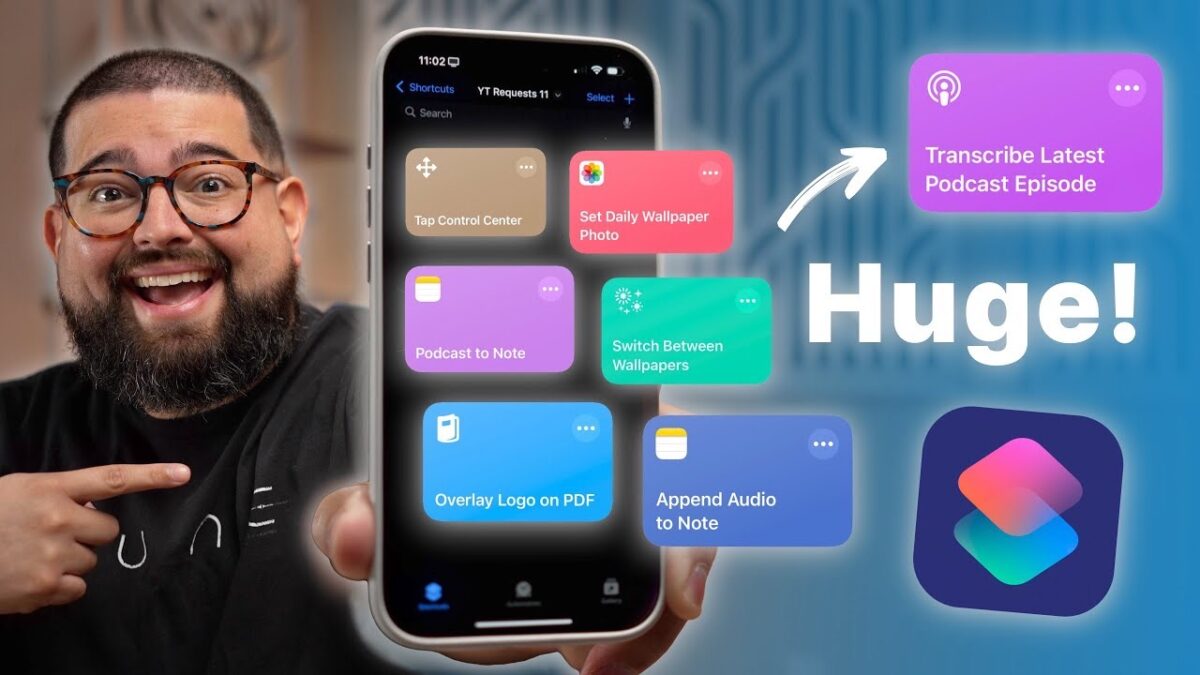
Stephen Robles shares 15 new workflows requested from the community in this massive 27-minute Shortcuts video.

From Stephen Robles on YouTube:

Unlock the power of automation with 15 new iPhone shortcuts! Learn how to automatically reply to texts, change wallpapers, and even transcribe podcasts with iOS 18. I’ll walk you through automating spam text replies, setting custom wallpapers based on Wi-Fi, and more.

? Get the Shortcuts

Download and Transcribe Podcast Episode

Photo Wallpaper from Album

Switch Wallpaper and Focus

Play Music Station

Overlay Logo on PDF

Open Folder

My Recording Video Process

Record Audio and Add to Note

Chapters ➡

00:00 Introduction

00:33 Auto-Text Replies

01:51 Auto Reply STOP to Spam Texts

02:59 Vacation Text Responder

04:58 Change Wallpaper on Wi-Fi

06:24 Random Photo Wallpaper

09:08 Open Files Folder

09:43 Toggle Control Center

10:24 Record Audio and Transcribe

11:55 Apple Music Stations

13:06 Overlay Logo on PDF

16:12 Recording Video Scene

16:49 Alert by Email Sender

18:10 Select Audio Device in Car

19:13 Toggle Alarms by Location

20:18 Download and Transcribe Podcast

24:27 HUGE Announcement!
View the video YouTube.

Posts You Might Like

Ulysses adds Find Sheet, Find Group actions for Shortcuts; Substack support »
Ulysses has expanded their App Intents support in version 39 with Find, Import File, and Search actions – plus support for Spotlight on Mac.
Shortcuts Creator Stephen Robles Goes Solo; Sign Up For His Membership
Fellow creator Stephen Robles has gone solo thanks to YouTube and Shortcuts membership program – which you should sign up for!
The New Craft Design Technology Multifunctional Pen from Ugmonk »
Ugmonk has a new 3-in-1 pen/pencil available – this looks great with the Gather system.
Transit’s Apple Watch app returns after two-year hiatus