From the Apple Support:
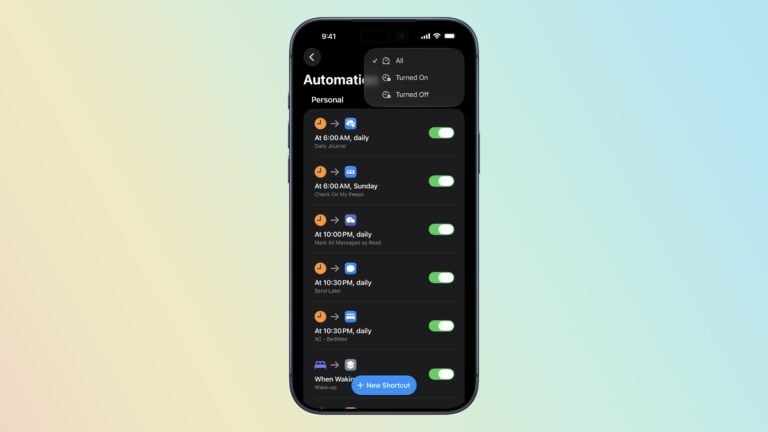
This update includes new actions, enhancements to existing actions, and reliability improvements to the Shortcuts editor. A new option in the Shortcut editor allows selecting an app icon as an alternative to selecting a color and glyph for the shortcut.
New Actions
- Find Books searches your library for books or PDFs matching a given title, author, genre, purchase date, or content type on iOS and macOS
- Intercom broadcasts announcements to your home on iOS and watchOS
- Set VPN connects, disconnects, or sets the On Demand setting for any VPN on iOS and macOS
- Set AirDrop Receiving sets the AirDrop Receiving preference to Everyone, Contacts Only, or Nobody on iOS and macOS
- Set Stage Manager enables or disables and changes the settings for Stage Manager on iPadOS and macOS
- Set Announce Notifications toggles the Announce Notifications setting on iOS and watchOS
- Set Silence Unknown Callers toggles the Silence Unknown Callers setting on iOS
- Set Night Shift and Set True Tone toggle the display settings on iOS and macOS
- Set Always-On Display toggles the Always-On Display on supported iOS devices
- Find Apps finds and filters apps installed on macOS
- Find Displays finds and filters displays on macOS
- Shut Down, Restart, and Lock Display are now available on iOS and macOS
- Log Out, Sleep and Put Display to Sleep are now available on macOS
Updated Actions
For those building custom shortcuts, some actions have been updated:
- Move Window now allows moving a window to a display on macOS
- Ask for Input has a new “Allow Multiple Lines” option, which can be disabled for single-line text input
- Find Photos can now find screen recordings
- Find Contacts now filters by birthday more accurately
- Get Device Details can now get the OS build number
- Get Device Details now rounds numbers, including the current battery level, volume, and brightness, to remove unnecessary decimal digits
- Set Playback Destination now works when run from Siri
- Play Music once again resumes currently playing music if no music is passed as input
- Run AppleScript can now produce dictionaries as output from AppleScript records
- Nothing now produces a variable with zero items, instead of producing no variable at all
- Repeat can now be set to run 0 times