5 WWDC features I’ll actually use more than Apple’s new Siri AI »

Graham Barlow at TechRadar talks about Describe a Shortcut and how it's coming to Shortcuts for Mac.

From Graham Barlow at TechRadar:

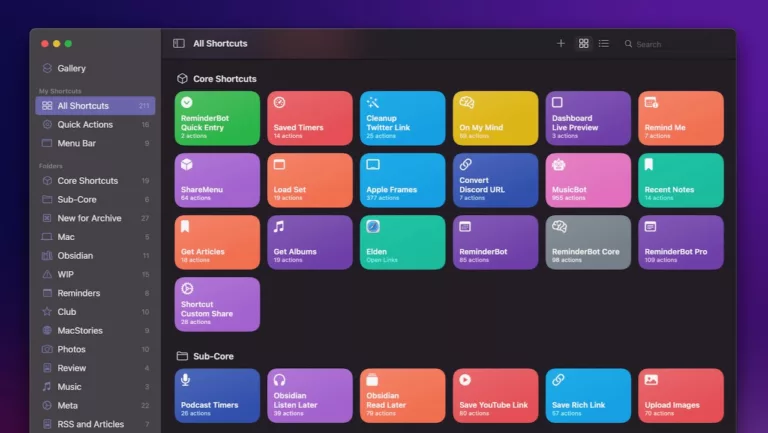
Shortcuts already exist in macOS, and they’re awesome. Shortcuts in macOS let you automate repeated actions on your Mac, either with a click, a keyboard shortcut, Siri, the menu bar, Finder, the Share Sheet, or sometimes from inside apps. You can use them to resize images, extract text from PDFs, create calendar events or reminders, and much more.

They can, however, be a little tricky to create. That’s going to change with the new version of Apple’s software. macOS Golden Gate is going to use Apple Intelligence to make creating shortcuts easier. Instead of building fiddly automations manually, you can simply describe what you want using natural language and Shortcuts will build it for you.

Check out the full story for the other four.

View the original.

Posts You Might Like

7 Shortcuts Stephen Robles Uses Every Day »
Check out this video from Stephen Robles covering screenshot tips, hotel hacks, and convenient features for Apple Podcasts.
Fantastical gets updated Shortcuts actions »
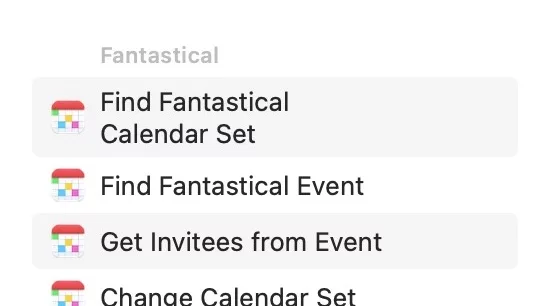
Fantastical has improved their Shortcuts collection, and Jason Snell has all the details on Six Colors.
Apple is releasing tons of “hidden” features in Shortcuts — what about everyday users?
I want your hottest take — is Shortcuts just a tool for power users or can the “average” user truly get in on all the potential? I wrote about this hard question for Apple to answer on iMore.
Automating My Household Chore Reminders »
Tom Robertson covers his Shortcuts-powered setup that uses Chronicling to store the status of his chores and Reminders to alert him when things are due.