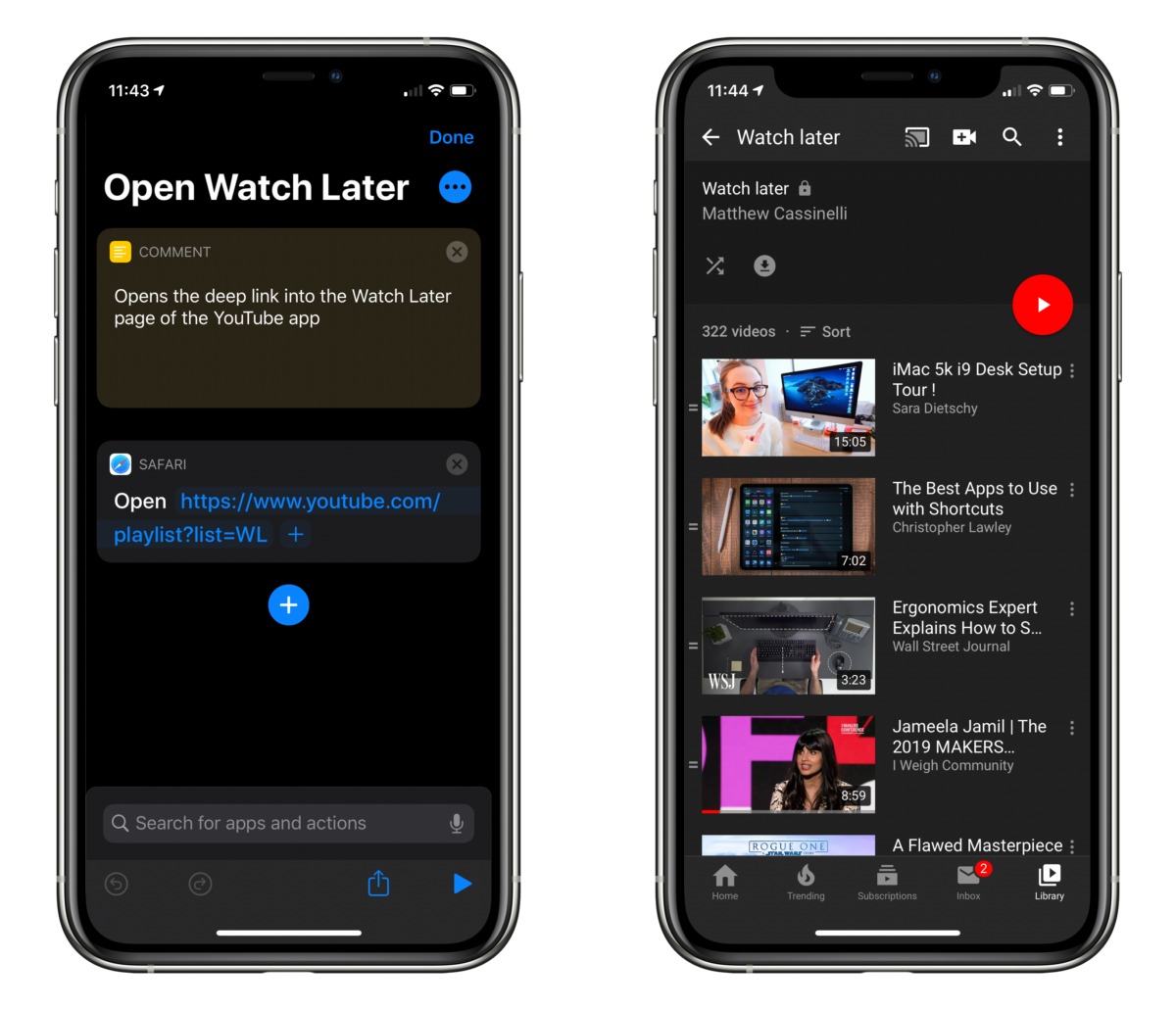
After adding a few videos from YouTube to my Watch Later playlist this afternoon, I looked in the Apps section of the Shortcuts app for some Siri Shortcuts from the YouTube app.
I’ve found actions that open the Search and Subscriptions section of the app before, but I wanted to quickly jump into the Watch Later bit which is buried in the Library tab – alas, there was no shortcut.
However, I then realized that YouTube.com links often redirect into the app, and I might be able to use that deep link instead.

I navigated to the Watch Later tab in Safari on my iPad, copied the URL, and created a new shortcut with only the Open URLs action, and pasted the link in. To my delight, running the shortcut opened right into Watch Later, and I literally said “Oh hell yes” out loud.
Now it’ll be much easier to jump into videos I’ve saved at any moment, especially once I add this shortcut to my Home Screen.
This is a simple shortcut, but a reply to my tweet about it encapsulated some of my feeling about quick shortcuts like these:
“Better than digging” is 60% of what I have to say about Shortcuts.
— Jon (@jonathancrll) November 19, 2019
Of course I personally think there’s more to Siri Shortcuts than that, running shortcuts as “better than digging” is a great starting point for finding value with the Shortcuts app.
Sometimes a shortcut only solves one seemingly small problem, but solving that very well can be just the right change to your workflow and help you quickly reach a goal when you’d otherwise not bother.
I have over 300 videos in my Watch later playlist because it’s simply not easy to access on the devices I use most, so this shortcut alone could change my entire relationship with YouTube – I look forward to using it regularly.