From Federico Viticci on MacStories:
In version 1.0 of Juno, there wasn’t a way to take a YouTube URL from Play (or any other app) and instantly open it in the app. Whenever I clicked a YouTube link in a visionOS app, it would take me to Safari, with no way to redirect that video to the Juno app instead. With the new Juno URL scheme in version 1.1, this is now possible. Simply replace https:// with juno:// in a YouTube URL, and you’ll be able to watch that video in Juno rather than YouTube’s website.
But we are refined and tasteful people with our Vision Pros, and no one should edit URLs by hand to watch a YouTube video in 2024. So I’ve built two shortcuts that you can install on your Vision Pro to simplify the process of reopening those links in Juno.
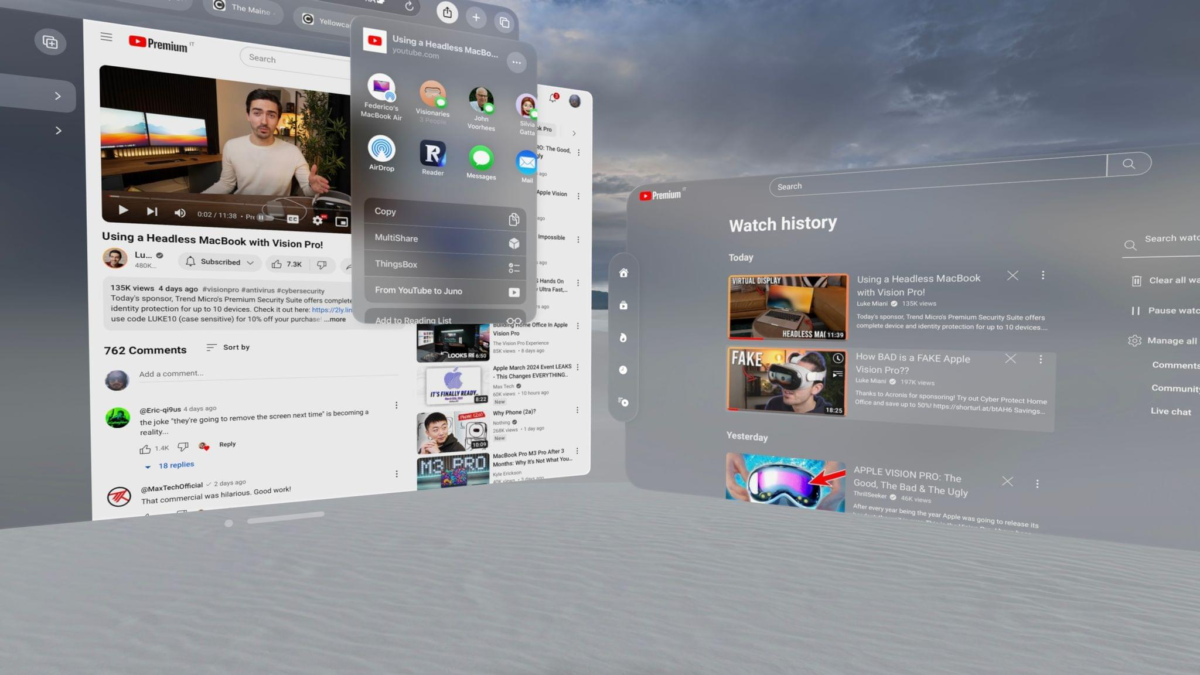
The first one is a basic shortcut that you can run on YouTube.com in Safari to open the video you’re watching in Juno. To use it, just select ‘From YouTube to Juno’ in the Safari share sheet, and the video will be opened in Juno, where you can watch it with a superior interface.
The second shortcut I’ve created is one to pick from a list of videos saved in the Play app and watch the selected video in Juno. Aptly named ‘From Play to Juno’, the shortcut is a nice way to go through your Play queue on the Vision Pro and take advantage of Juno’s native YouTube UI to watch your saved videos.