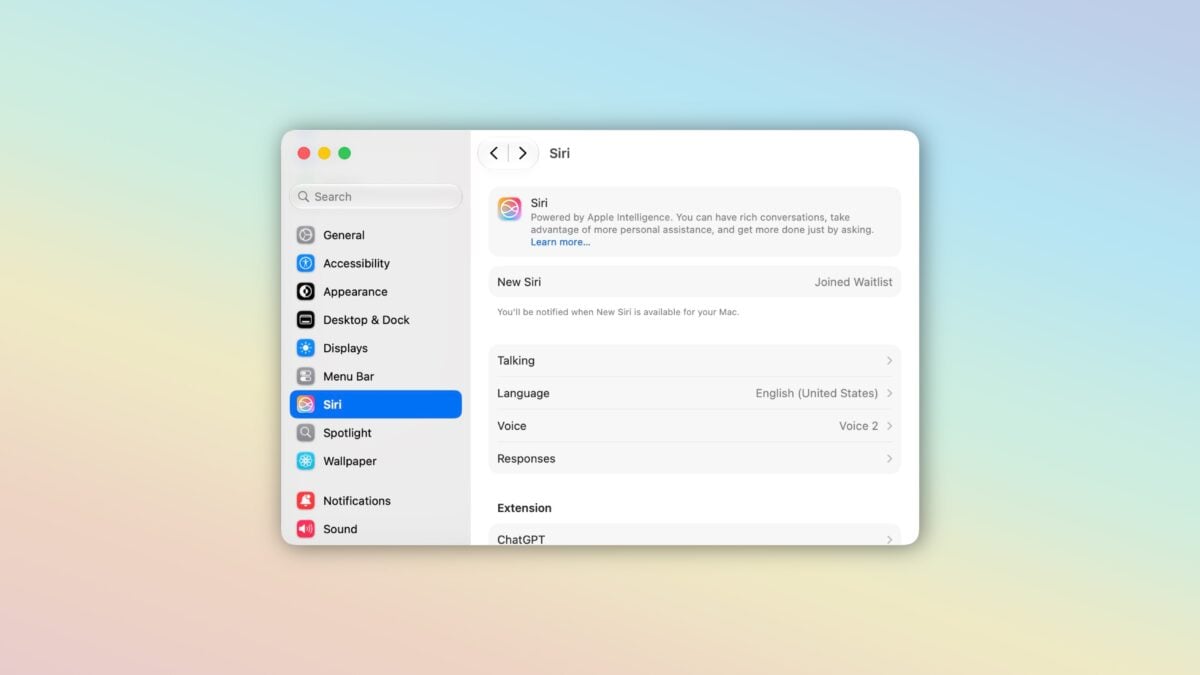
Update: The method to skip the Siri AI waitlist has been patched in macOS 27 developer beta 2.
If you’re stuck waiting on the Siri AI waitlist, you can shortcut the line with this shortcut that disables (and re-enables) the feature flag to download the new Siri features.
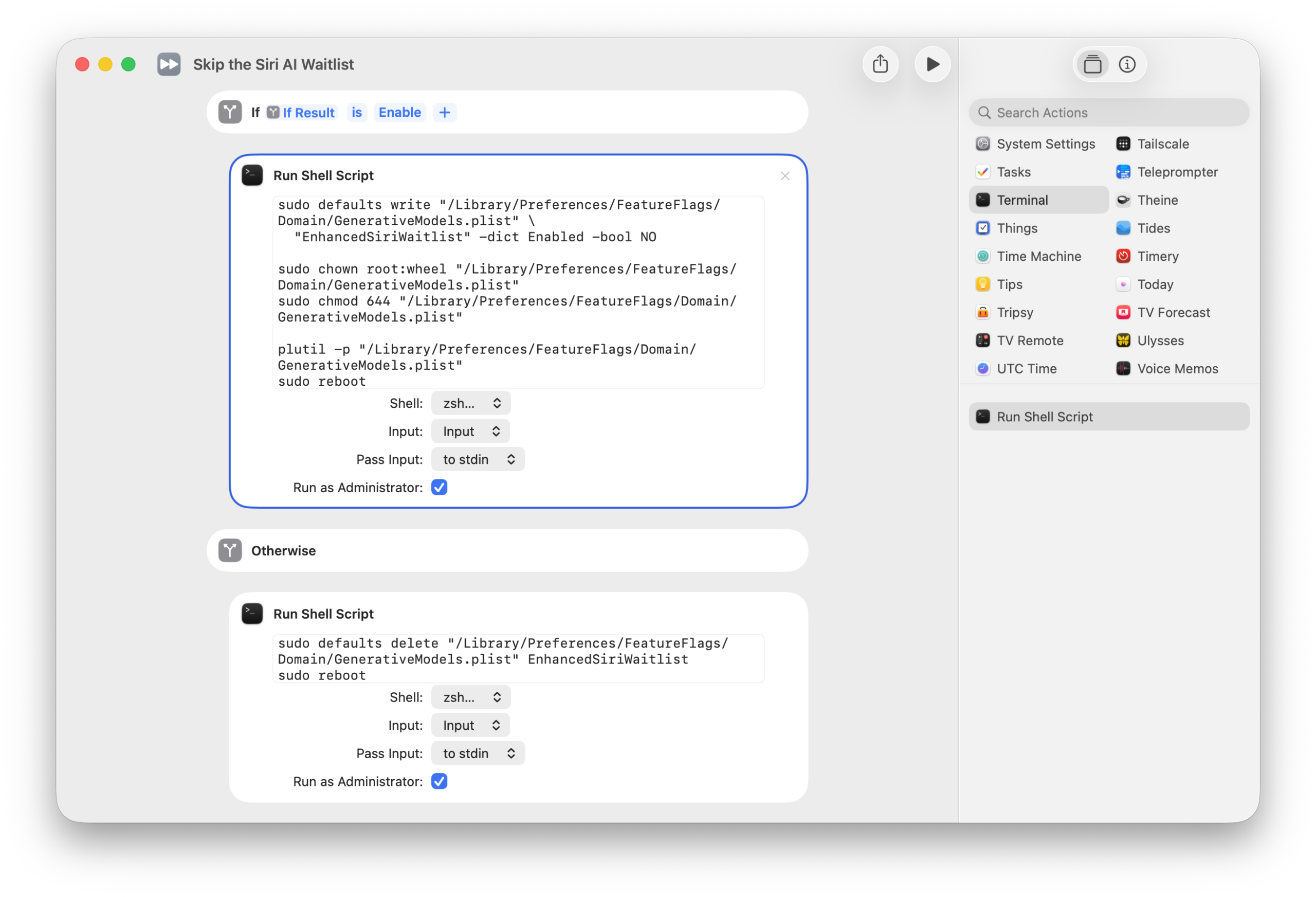
Part of my new Siri AI folder of shortcuts in my Shortcuts Library, “Skip the Siri AI Waitlist” uses the Terminal command folks have been sharing online to tell your Mac that it’s time to download the new Siri data, and then reboot once it’s finished so everything is enabled properly. Here’s what’s in the Run Shell Script action:
sudo defaults write "/Library/Preferences/FeatureFlags/Domain/GenerativeModels.plist" \
  "EnhancedSiriWaitlist" -dict Enabled -bool NO

sudo chown root:wheel "/Library/Preferences/FeatureFlags/Domain/GenerativeModels.plist"
sudo chmod 644 "/Library/Preferences/FeatureFlags/Domain/GenerativeModels.plist"

plutil -p "/Library/Preferences/FeatureFlags/Domain/GenerativeModels.plist"
sudo reboot
The shortcut also includes a Disable option so that you can re-enable the feature flag and disable Siri AI – I don’t want to provide a sudo command without the option to undo it:
sudo defaults delete "/Library/Preferences/FeatureFlags/Domain/GenerativeModels.plist" EnhancedSiriWaitlist
sudo reboot
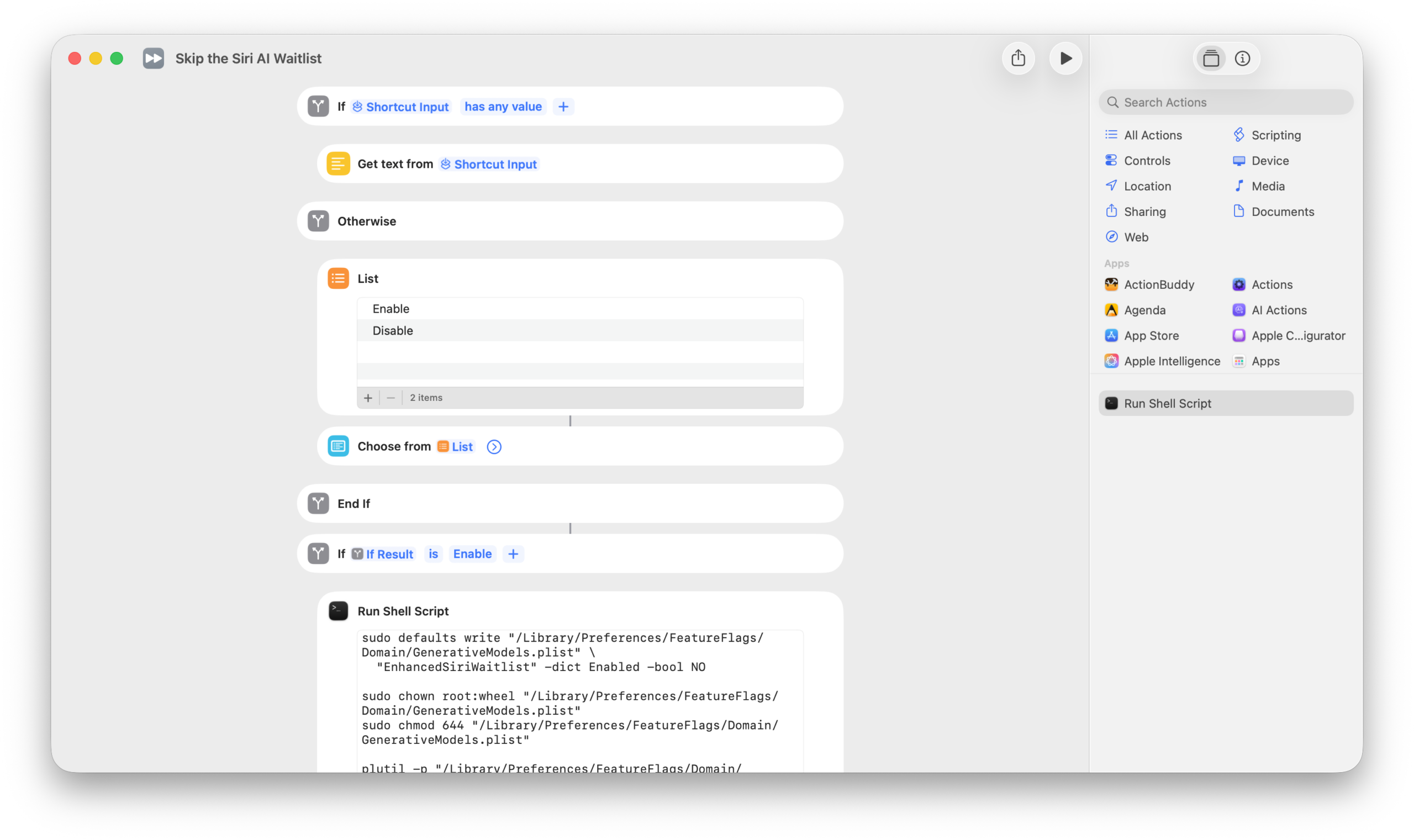
I also designed the shortcut to accept text as input, so you could simply type Enable or Disable when running from Spotlight.
I should note, this doesn’t automatically skip the waitlist on iPhone or iPad. On those platforms, I found that changing the voice, waiting for it to download, changing back, and then restarting worked. It’s also not clear if having access on the Mac helped with iOS at all, but I figured it couldn’t hurt.
Get the Skip the Siri AI Waitlist shortcut in my Siri AI folder in the Shortcuts Library.
P.S. My thanks to indie developer Joost van den Akker for sharing the waitlist screenshot for the header image – check out his apps on his website.