Apple Adds New Shortcuts Action For Camera Modes in iOS 17

New in iOS 17 – an "Open Camera" action that lets you immediately open to your preferred mode. Here's the list of modes – and a set of shortcuts to go with them.

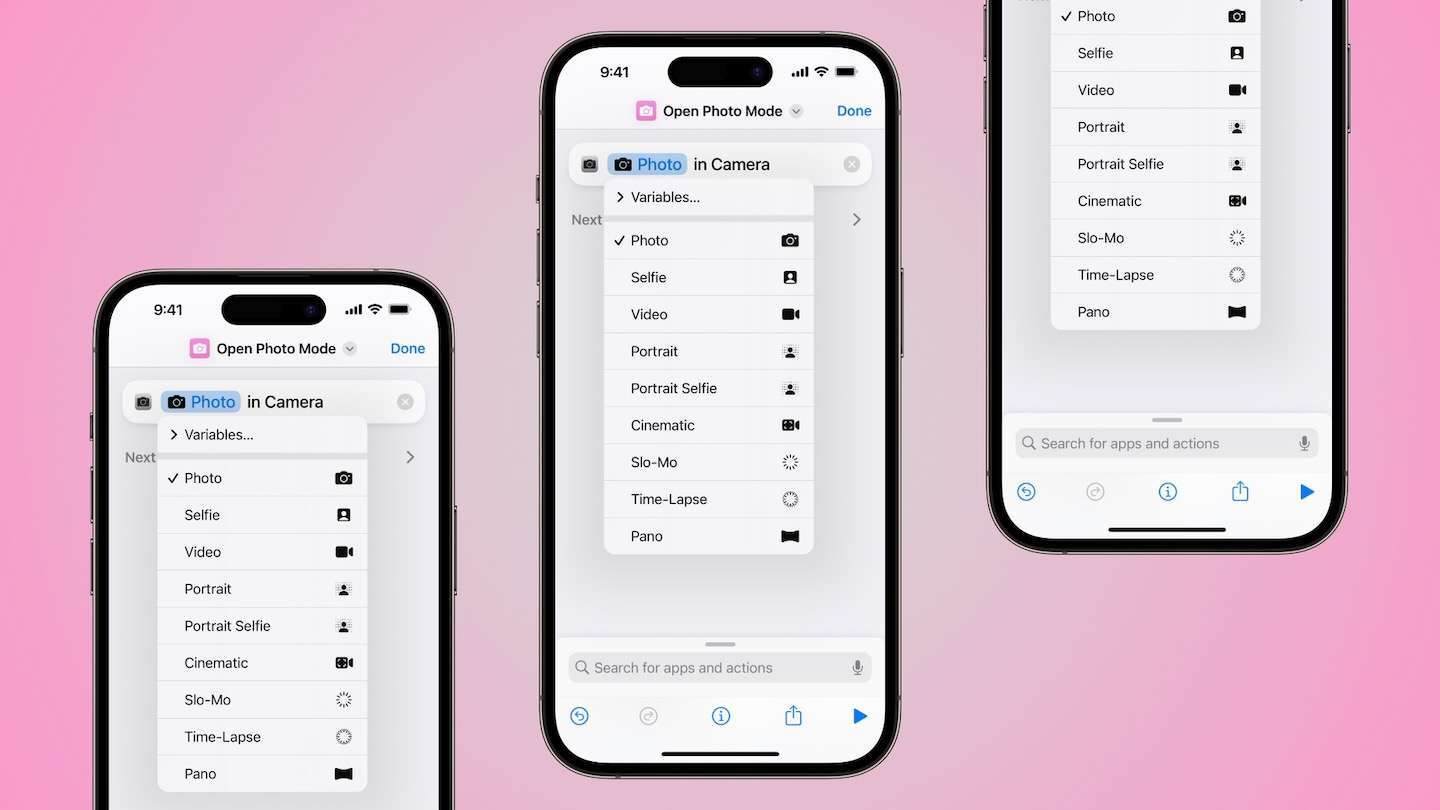
New in the fourth developer beta and second public beta of iOS 17, Apple has added an “Open Camera” action for the Camera app that allows users to pick between camera modes and immediately open to any preset using Shortcuts.
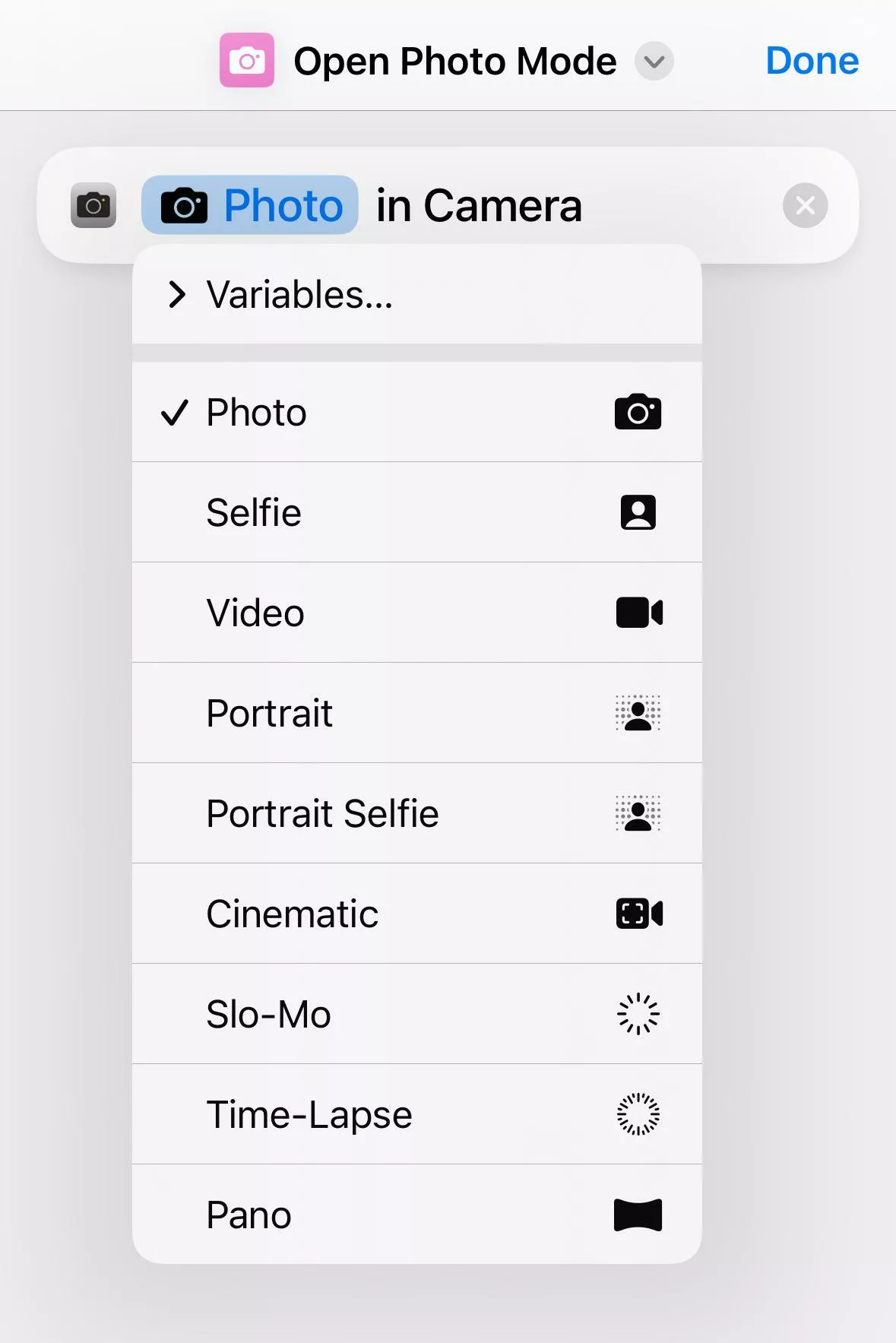
The new “Open Camera” action can be set to switch between the following modes:

  • Photo
  • Selfie
  • Video
  • Portrait
  • Portrait Selfie
  • Cinematic
  • Slo-Mo
  • Time-Lapse
  • Pano

I’ve built a folder of shortcuts for each action, available now as part of my membership program in pre-release ahead of iOS 17.

These actions are highly welcome to the set of Media actions available by default in Shortcuts, as well as my collection of photography shortcuts built off of them.

View the folder of Camera app shortcuts in my Shortcuts Library.
Posts You Might Like

New in the Shortcuts Library: Apple TV Apps shortcuts
While updating my Apple TV Remote shortcuts for multiple devices, I cleaned up my Apple TV apps and built out a new set of shortcuts to open them all.
New in the Shortcuts Library: Apple Music Replay shortcuts
Apple has released Replay 2024, so I built a set of shortcuts for playing the annual playlists. Plus, shortcuts to control Listening History.
Obscura 4 is the all-in one app to replace your iPhone camera
Obscura 4 from developer Ben McCarthy has released, giving you photo and video controls to replace your iPhone camera – check out the excellent new app in my short review.
How To Get A Seamless Photo Carousel On Threads Using The Series App
If you've seen those seamless photo carousels on Threads, you might be wondering how to make them yourself – enter Series, a fantastic collage app with Threads support.