How to build an App Intents Spotlight integration using Shortcuts »

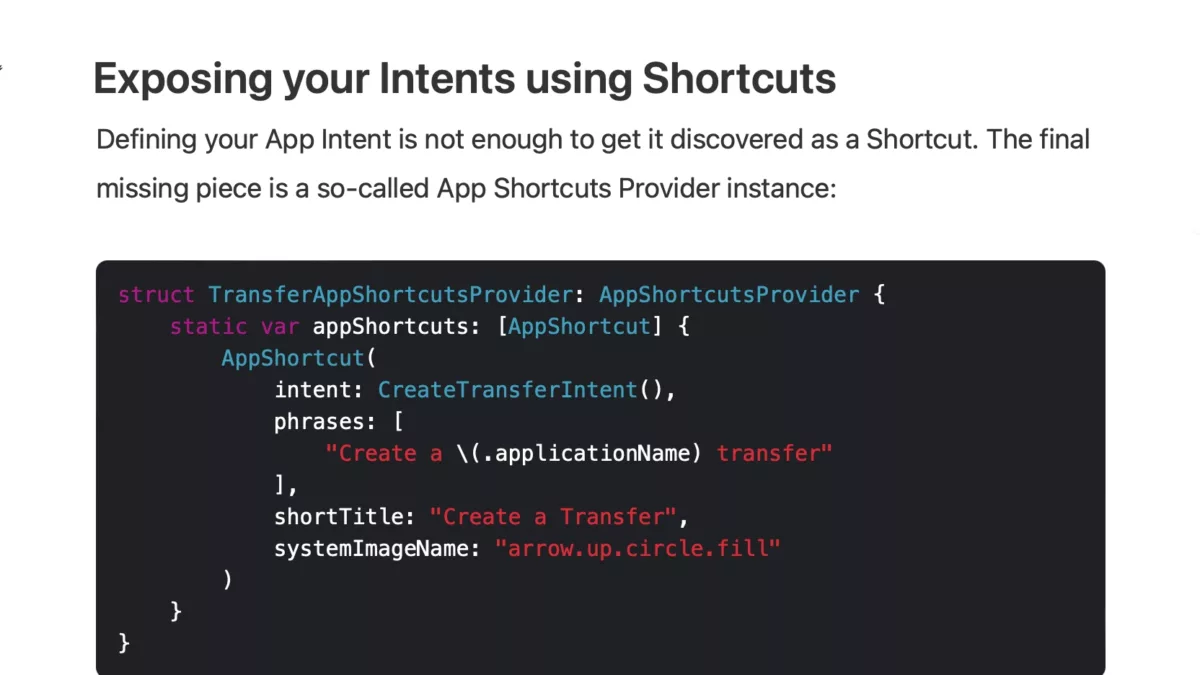
Apple has introduced a new feature to display App Intents in Spotlight – Antoine Van Der Lee wrote up how he implemented the change in his app WeTransfer.

Antoine Van Der Lee on his blog SwiftLee:

App Intents have been new since iOS 16 and offer a programmatic way to service your app’s content and functionality to Siri and the Shortcuts app. New in iOS 17 is the option to surface App Shortcuts integrated into Spotlight, making your app’s functionality even more discoverable.

App Intents are the engine behind many features like Widgets and Live Activities. By using them smartly, you’ll create a reusable framework for your app’s functionality. For example, the App Intent we’re creating for Spotlight Shortcuts could be reused for interactive widgets

What a great walkthrough – here’s the sections:
View the full post on avanderlee.com (via Justin Ferrell).

Posts You Might Like

Blackbox: Rebooting an Inventive Puzzle Game for VisionOS »
Developer Ryan McLeod is featured on the Apple Developer blog to talk about bringing his app Blackbox to Apple Vision Pro and turn his game into a spatial computing experience.
New Shortcuts beta has fixes in the works for Transit, Choose From Menu, Tweetbot
In a new type of post, I detail some of the bugs resolved in the developer betas of Shortcuts that public users might still be experiencing – check here to see what fixes are on the way.
OverPicture gives easy access to Picture-in-Picture on macOS, iOS, and iPadOS »
OverPicture adds easy access to picture-in-picture from your Safari toolbar – get it for a few bucks on the App Store.
FYI: Reset Your Standing Desk By Lowering It All The Way Down »
If your standing desk isn't working and only goes down, it might need to be reset – you can do so by lowering it to the furthest position.