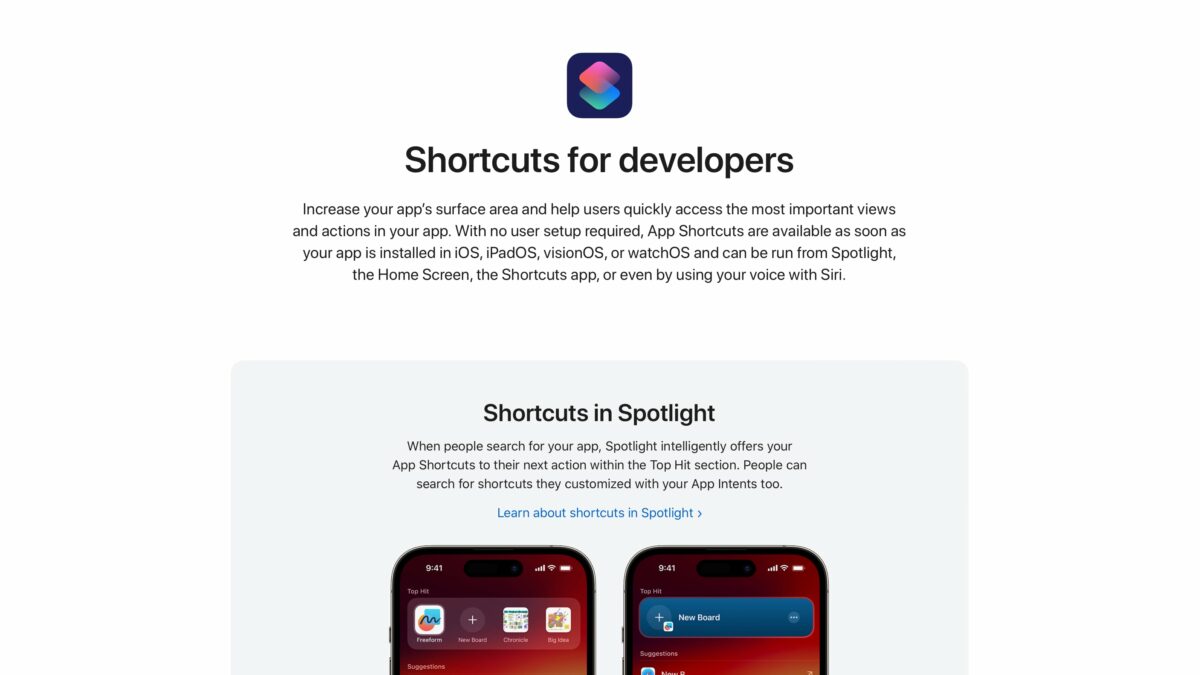
Today I just happened to stumble across the Apple Developer page for “Shortcuts for developers”, which was first launched in July 2023, that Apple designed as a landing page for all things, well, Shortcuts and development for it.
Here’s how Apple pitches Shortcuts here:
Increase your app’s surface area and help users quickly access the most important views and actions in your app. With no user setup required, App Shortcuts are available as soon as your app is installed in iOS, iPadOS, visionOS, or watchOS and can be run from Spotlight, the Home Screen, the Shortcuts app, or even by using your voice with Siri.
The page emphasizes these features:
- Shortcuts in Spotlight
- Shortcuts and Siri
- Shortcuts app
- Shortcuts on the Home Screen
- Sharing shortcuts
- Shortcuts automations
Underneath that, Apple calls attention to App Intents, which they describe this way:
Enable shortcuts with App Intents, a Swift-only framework designed to make it faster and easier to build great actions that people can access throughout the system.
The page also links to the documentation to help you begin implementing App Intents with these starting points:
- Dive into App Intents
- Migrate custom intents to App Intents
- Human Interface Guidelines for Shortcuts and Suggestions
- “Latest documentation” which currently links to App Shortcuts
- Session videos on Shortcuts
I’m glad Apple has made this resource for developers unfamiliar with Shortcuts and App Intents, as it’s a clear jumping-off point while emphasizing the value of Shortcuts and what apps can enable for their users.
I hope to see this page updated for App Intents in iOS 18 and Apple Intelligence, clarifying the connection between what you can do with Siri and how it’s all going to be available in the Shortcuts app as well.