With the news today that Marvel just updated The Fantastic Four: First Steps for 3D on Apple Vision Pro, I was reminded of an old thread from Marvel VFX supervisor Evan Jacobs where he made the following claim:
The 3D Marvel films on the AVP look better than anyone has ever seen them before. The capabilities of the VisionPro are really unique and we remastered all the films for this format.
And:
Our goal was to match the color and brightness of the 2D HDR versions but for 3D. The Vision Pro delivers basically perfect stereo contrast so no ghosting, HDR color, UHD resolution and we did some work on the older titles as well.
Two Reddit threads reference the post, but it appears Jacobs left Twitter and his X account no longer exists – however, I found a direct quote from this Apple Vision Pro forum.
In Disney’s press release at the time, they also said the following:
With 3D movies, Disney’s storytelling will also leap off the screen like never before with remarkable depth and clarity for an unprecedented in-home 3D experience on Disney+ with Apple Vision Pro.
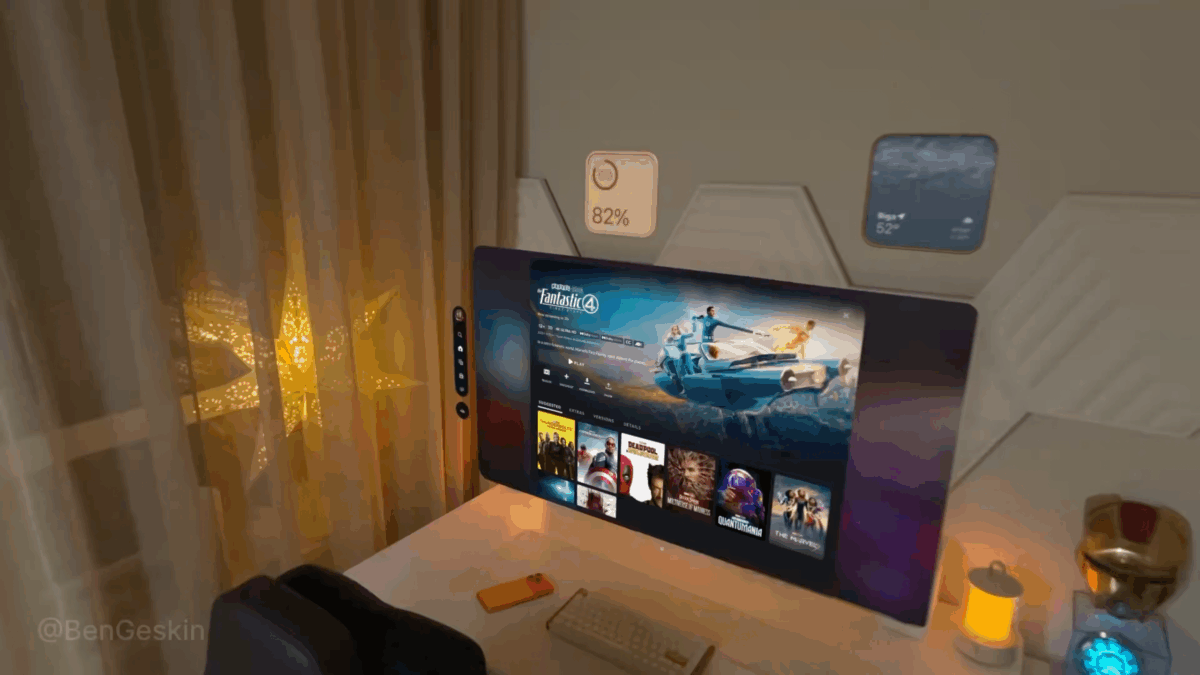
Check out the forum post, view the original press release from Disney, and see the how F4 looks on Vision Pro from Ben Geskin on X:
Marvel Studios’ The Fantastic Four: First Steps is now streaming on Disney+ and watching it in 4K 3D with Spatial Audio on Apple Vision Pro is just awesome 🤩
Feels like sitting in a private cinema with a giant screen and insane clarity. Add AirPods and you’re fully immersed 🍿 pic.twitter.com/s4k7DKbpyb
— Ben Geskin (@BenGeskin) November 5, 2025