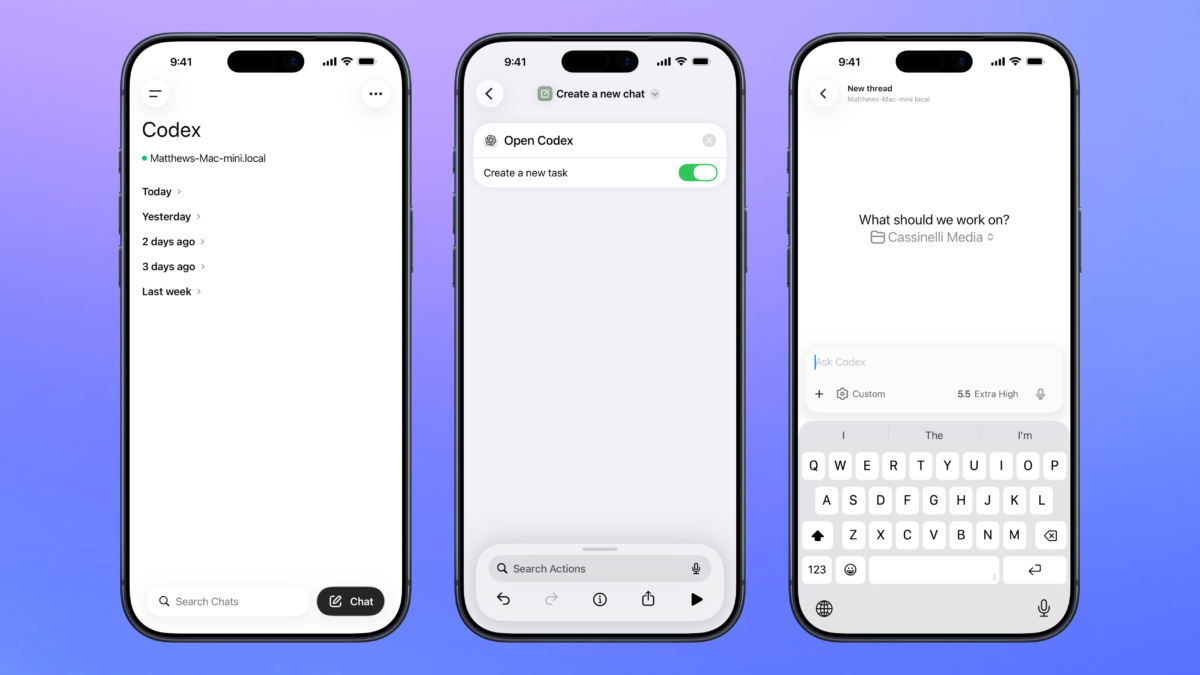
OpenAI has announced the addition of a Codex remote control feature to the ChatGPT app for iOS and iPadOS, enabling users to manage threads running on their Mac from their mobile devices.
Along with it, the ChatGPT app was updated with a new action for Shortcuts called “Open Codex,” which includes a toggle for “Create new task.” By using the two permutations of Open Codex, users can either open to their list of threads or start a new chat.
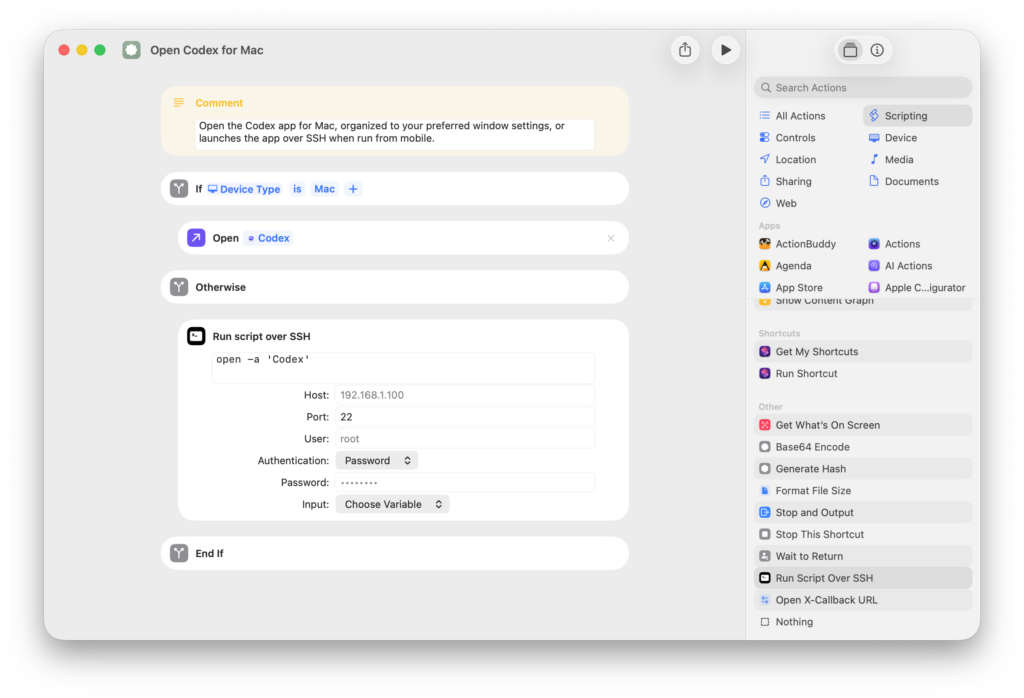
I’ve created a set of simple shortcuts for both these options, plus an additional “Open Codex for Mac” while includes the Run Script over SSH action to remotely open the Codex app on your Mac (if it’s not already open). That way, you can ensure the app is always running and accessible from your mobile devices.
Makes sure to check out Codex in ChatGPT for iPad especially – the developer mentioned the keyboard support works well, which I love to see:
I’ve been working on bringing Codex to iOS and I am thrilled to finally be able to share it with you all!
I happen to be OOO today for some personal stuff so I’ll post more thoughts later, but wanted to share this just to say it’s a great experience on an iPad with a keyboard 🙂 https://t.co/9uTmFcpzfQ— javi (@Javi) May 14, 2026