Tip: Long-Press to Skip The Custom Share Sheet on Threads (and Twitter Too) »

Instagram CEO Adam Mosser shared this tip for quickly activating the Share Sheet – an excellent way to speed up running your Threads shortcuts.

From @mosseri on Threads:

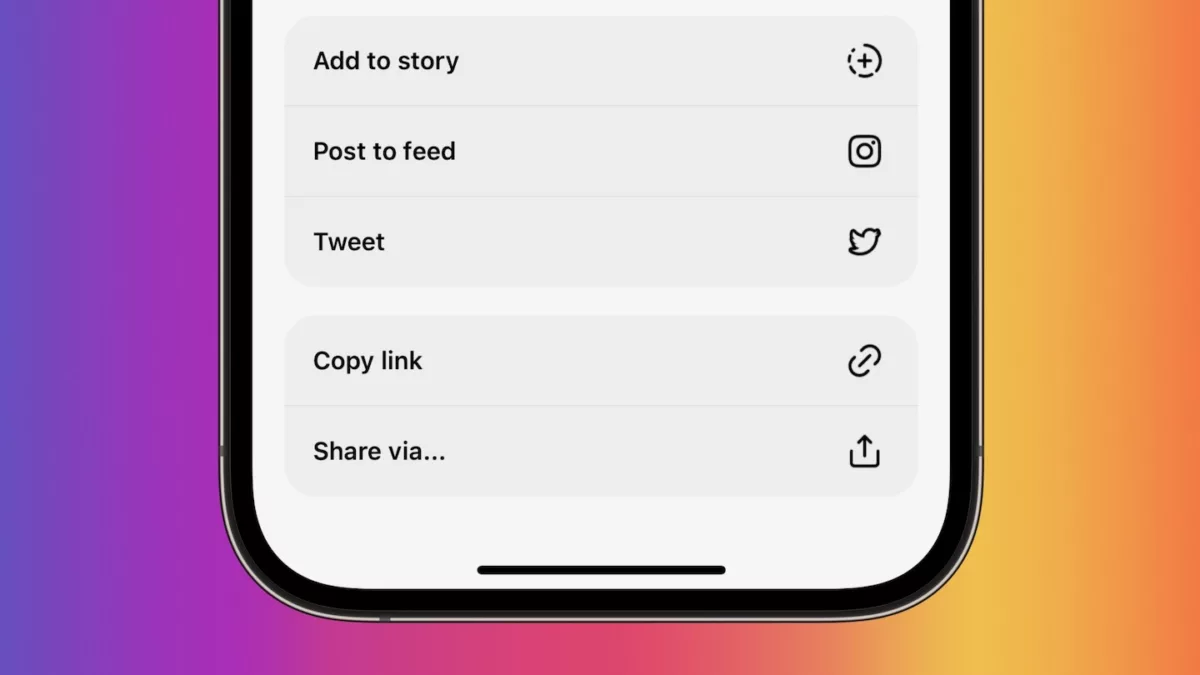
Hidden ? if you long press the share button on a thread it’ll pull up the OS share sheet instead of the Threads one in case you want to get there quicker.

If you’re trying to use the Share Sheet to capture Threads posts, you’ll find yourself clicking the Share icon, then “Share via…” every time – instead, you can long-press on the icon and the native Share Sheet will pop up again with your shortcuts ready to go.

Fun fact: I helped get this same functionality implemented in the Twitter app back in 2020 after mentioning how important it is for Shortcuts users – shoutout to fellow Shortcuts creator Robert Peterson for emphasizing my point in the, ahem, “thread.”


View the post on Threads.

Posts You Might Like

How To Get A Seamless Photo Carousel On Threads Using The Series App
If you've seen those seamless photo carousels on Threads, you might be wondering how to make them yourself – enter Series, a fantastic collage app with Threads support.
Customize Threads With These 8 Alternate Home Screen Icons
Get these 8 excellent alternate icons and use them with Add to Home Screen for your own personal Threads experience.
Fuoco lets you easily edit Portrait Mode photos »
If you've shot with Portrait Mode and want to change focus points—both in and out—Fuoco is the app for you.
Why everyone should be using Share Sheet shortcuts
Running Shortcuts from the Share Sheet is one of the most powerful ways users can automate their workflows — here's how to best take advantage of everything the feature offers.