10 Shortcuts to Save your iPhone Battery »

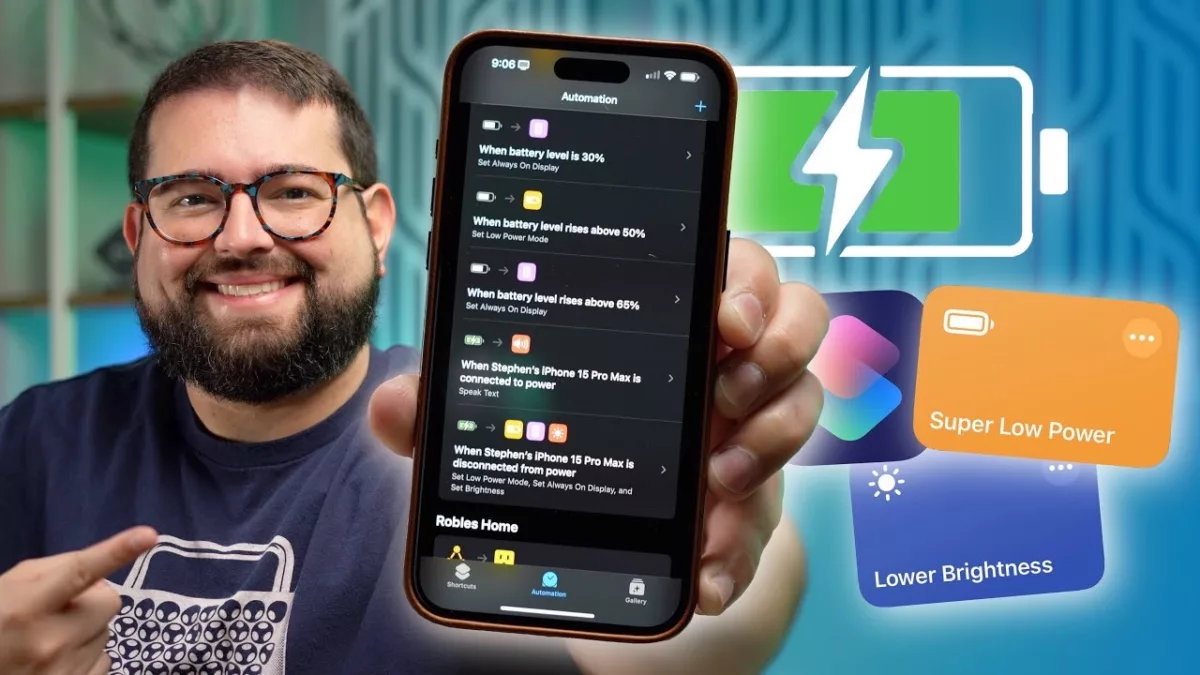
Stephen Robles shared these great shortcuts and automatinos for interacting with your device's settings for managing battery life.

From Stephen Robles on YouTube:

Eek out every percentage of iPhone battery with these 10 Shortcuts and automations! From low power mode to adjusting brightness and disabling always-on display at critical battery levels, this video is your ultimate guide to extending your iPhone’s battery life.

? Get the Shortcuts

Super Low Power Mode

Lower Brightness + Toggle Auto

Auto-Brightness URL Scheme: prefs:root=ACCESSIBILITYu0026path=DISPLAY_AND_TEXT
View the video YouTube.

Posts You Might Like

The iPhone’s Today View Is The Most Convenient Place to Run Your Shortcuts »
In his iPhone setup video, Stephen Robles mentioned how he finds the Today view off to the left of your iPhone Home Screen is the best place to use Shortcuts – I agree.
Apple is releasing tons of “hidden” features in Shortcuts — what about everyday users?
I want your hottest take — is Shortcuts just a tool for power users or can the “average” user truly get in on all the potential? I wrote about this hard question for Apple to answer on iMore.
Marvel 3D Movies on Apple Vision Pro “Look Better Than Anyone Has Ever Seen Them Before” »
Fantastic Four has been updated for 3D on Apple Vision Pro, which reminded me of a now-deleted thread where a Marvel VFX supervisor shared details on the format.
Stephen Robles on New iPhone Shortcuts Actions in iOS 17.4 »
Stephen Robles has a quick 10-minute video on using the new Get Orientation and Get Physical Activity actions from iOS 17.4.