On the iOS 18 page on their website, Apple has linked to a document titled “New features available in iOS 18.” This document provides an in-depth look at all the categories of new features in iOS 18, grouped by “Apple Intelligence,” “Key Features,” and “Even More.”
When I come across detailed guides like this, I like to import all of the information into Craft, then use its grouping and backlinking features to create a more-digestible version with a complete table of contents – something I’ve done for the Shortcuts developer sessions and the latest WWDC keynote, for example.
With this iOS 18 guide, I’ve imported and grouped all the new features into a single doc in Craft for my own personal use, which I’ve also made available for members of my website to browse and peruse.
However, I wanted to share the full outline of iOS 18 features here as a public reference – plus you can still find all the details for each feature in Apple’s PDF.
Here’s that full list:
What’s new in iOS 18
Apple Intelligence
Writing Tools
Rewrite
Style
Proofread
Summarize
Describe
Compose
Image Playground
Image Playground app
Create Images with Concepts
Create Images with People You Know
Create Images with Characters
Create Images with Photos
Create Images with Text
Suggested Concepts
Quick Previews
Preview history
Image Playground library
Animation style
Illustration style
Sketch style
Messages experience
Deep integrations
Siri
Personal context understanding
In-app actions
Onscreen awareness
More resilient request handling
Maintains conversational context
Product knowledge
Glowing edge light
Type to Siri
Predictive text in Siri keyboard
Suggestions in Siri keyboard
More natural voice
More visually rich responses
ChatGPT integration
Focus
Reduce interruptions
Intelligent Breakthrough & Silencing
Genmoji
Genmoji
Mail
Mail Priority messages
Preview summaries
Thread summaries
Smart Reply
Messages
Smart Reply
Summaries
Notes
Transcription summaries
Image Wand
Notifications
Priority notifications
Notification summaries
Announce Notifications support
Phone
Call summaries
Photos
Natural language photo and video search
Create your own Memories
Clean Up tool
Key Features
Customization
More flexible placement
Unique page layouts
Dark icons
Tinted icons
Larger icons
Control Center
Redesigned Control Center
Groups of controls
Controls gallery
Controls on your Lock Screen
Controls with the Action button
Photos
Biggest-ever design update
Collections
Recent Days
Groups in People & Pets
Trips
Wallpaper suggestions
Collection view options
Pinned Collections
Hide screenshots from your library
Months and Years highlights
Expanded content types in Utilities
Customize the Photos app
Clean Up tool*
Edit albums in folders
Album attribution
Edit in light or dark mode
Smart copy and paste edits
Video speed control
Creative stories
Smart suggestions
Messages
Text effects
Text formatting
Messages via satellite
iMessage over satellite
SMS over satellite
Satellite connection in Dynamic Island
Emoji and sticker Tapbacks
Send Later
RCS (Rich Communication Services)
Low Quality Image Mode improvements
High-quality Images
Mail
Transactions category
Updates category
Promotions category
Time sensitive
Grouped by sender
Quick action
Recategorization
Safari
Highlights
Location highlights
Summary highlights
Music highlights
Movie and TV show highlights
Person highlights
Redesigned Reader
Distraction Control
Passwords
Passwords app
Passwords and passkeys
Sign in with Apple
Wi-Fi passwords
Verifications codes
Sorting
Syncing
End-to-end encryption
Windows support
Maps
Hiking and walking
Hikes
Turn-by-turn navigation
Create and save walking and hiking routes
Topographic maps
Discover and save places
Gaming
Game Mode
Wallet
Event tickets
Pay with installments
Pay with Rewards
Apple Pay on Chrome and Windows PC
Tap to Cash
Tap to provision
AirPods
Siri Interactions
Voice Isolation
Personalized Spatial Audio for gaming
Reduced gaming audio latency
In-game voice quality
Notes
Audio recording
Live transcription
Phone call transcription
Math in Notes
Access Math Notes from Calculator
Collapsible sections
Highlighting
PDF inline search
Journal
State of Mind integration
Log mindful minutes
Insights view
Streaks
Calendar
Stats
Search and sort
Export and print
Widgets
Quick Actions
Audio transcription
More formatting options
Shortcuts
Apple TV
InSight
Enhance dialogue
More dynamic subtitles
Home
Hands-free unlock with home keys
Guest access
Pair Matter accessories without a hub
Control robot vacuum cleaners in the Home app
Electricity usage and rates
Privacy & Security
Improved Contacts preferences
Redesigned Privacy & Security settings
Accessory Setup Kit
Blocking sensitive content for children
Even More
Accessibility
Eye Tracking
Music Haptics
Vocal Shortcuts
Vehicle motion cues
AirPlay
Spatial Audio
Apple Account
Share Sign in with Apple credentials
Calculator
Math Notes
Typed math
Variables
Graphing
Adjust numbers
Works with Notes
Math Results
History
Editable expressions
Portrait scientific calculator
Unit conversions
Calendar
View reminders in Calendar
Edit reminders in Calendar
Create reminders in Calendar
Updated Month view
Refreshed look
Camera
5-second timer
Continue playing music when taking a photo
Adjust flash settings via touch and hold
Next-gen Portraits enhancements
CarPlay
Spatial Audio
Accessibility
Continuity
Continuity Camera with Apple TV 4K
Family Sharing
Family Sharing invitations
Recommended for your family
Files
Desktop and documents in the Cloud setup
Keep downloaded
Expanded external drive file formats
Erasing an external drive
Fitness+
For You in Summary
For You
Explore
Library
Search
Awards
Freeform
Scenes
Send a copy
Snap to Grid
Handwriting recognition
Improved diagramming
Math Results
iCloud
Settings redesign
iCloud Mail
iCloud Mail cleanup
Manage old email
Unsubscribe and delete
Keyboard
Keyboard Unified picker
Inline stickers and Memoji
Searchable stickers
Multilingual keyboard
Language detection
Locked and Hidden Apps
Locked apps
Hidden apps
Hidden apps folder
Seamless authentication
Move to iOS
Faster migration
Cabled migration
Improved Wi-Fi migration
Tips during migration
Dual SIM labels
Voice memo migration
Music
SharePlay on more devices
Phone
Call recordings
Call transcripts
Call history search
Keypad search
Live caller ID lookup
Live Voicemail
Dual SIM in Control Center
Automatic Mic Mode
Podcasts
Chapter scrubbing
Better playback control
Share from transcripts
Search suggestions as you type
Reminders
Calendar integration
Recently deleted list
Subtasks in Smart Lists
Multi-language grocery lists
SharePlay
Ask to share
Draw to highlight
Remote control
iPhone to iPhone, iPad to iPad
Privacy friendly
SharePlay on more devices
Tips
Tips sharing
Weather
Easier-to-find Feels Like temperature
Home and work locations
Prominent wind gusts and direction
261 Features Coming to iOS 18
Plus, for fun, I removed all the categories and groups to create a single-file list of all the features – assuming I didn’t miss anything, there’s 261 features coming to iOS 18 (according to the list Apple provided):
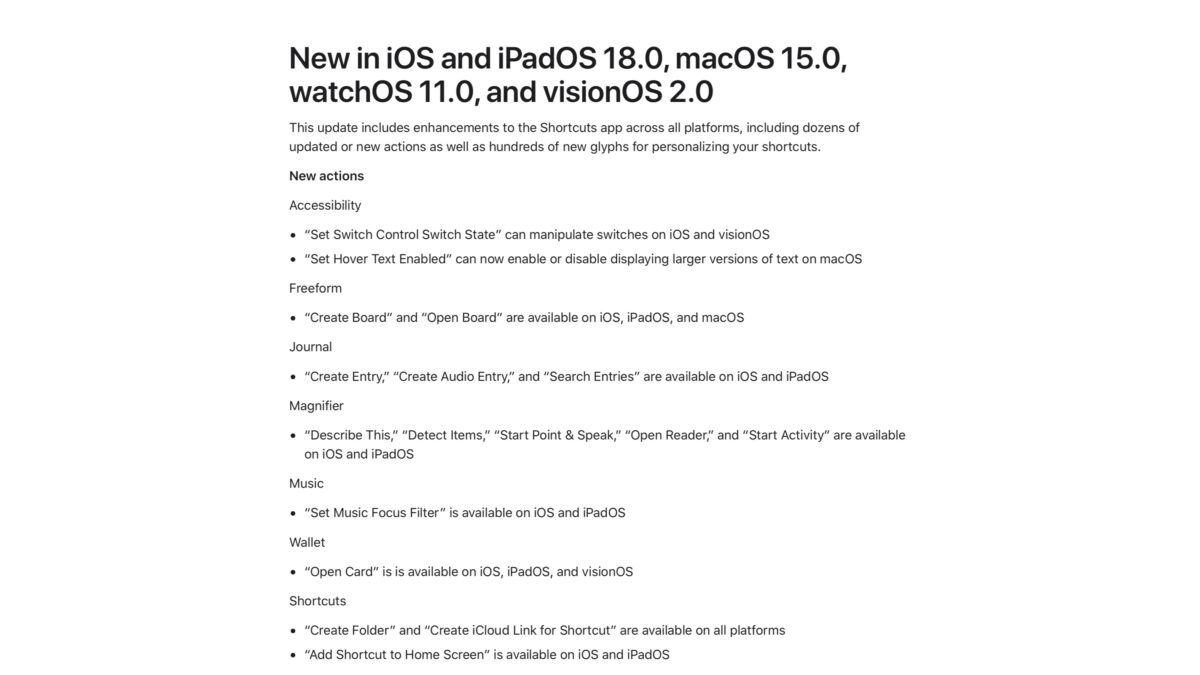
New in iOS and iPadOS 18.0, macOS 15.0, watchOS 11.0, and visionOS 2.0
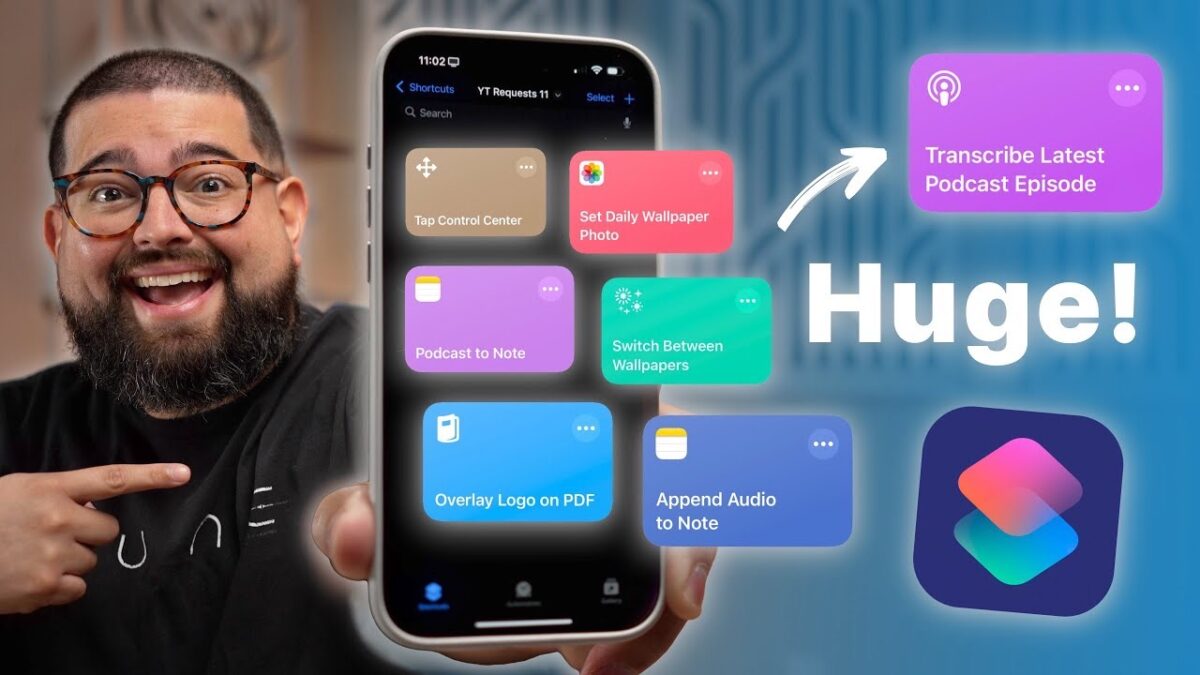
This update includes enhancements to the Shortcuts app across all platforms, including dozens of updated or new actions as well as hundreds of new glyphs for personalizing your shortcuts.
New actions
Accessibility
“Set Switch Control Switch State” can manipulate switches on iOS and visionOS
“Set Hover Text Enabled” can now enable or disable displaying larger versions of text on macOS
Freeform
“Create Board” and “Open Board” are available on iOS, iPadOS, and macOS
Journal
“Create Entry,” “Create Audio Entry,” and “Search Entries” are available on iOS and iPadOS
Magnifier
“Describe This,” “Detect Items,” “Start Point & Speak,” “Open Reader,” and “Start Activity” are available on iOS and iPadOS
Music
“Set Music Focus Filter” is available on iOS and iPadOS
Wallet
“Open Card” is is available on iOS, iPadOS, and visionOS
Shortcuts
“Create Folder” and “Create iCloud Link for Shortcut” are available on all platforms
“Add Shortcut to Home Screen” is available on iOS and iPadOS
Updated Actions
For those building custom shortcuts, some actions have been updated:
“If” now supports evaluating multiple conditions at once, combining them with Any or All
“If” now supports selecting date and time values inline
“Open Smart List” can now open any Reminders list
“Match Text” now indicates invalid regular expressions above the keyboard
“Recognize Music” support has been expanded to watchOS
“Listen to Page” support has been expanded to visionOS
Shortcuts editor
For those building custom shortcuts, some changes have been made to the shortcut editor:
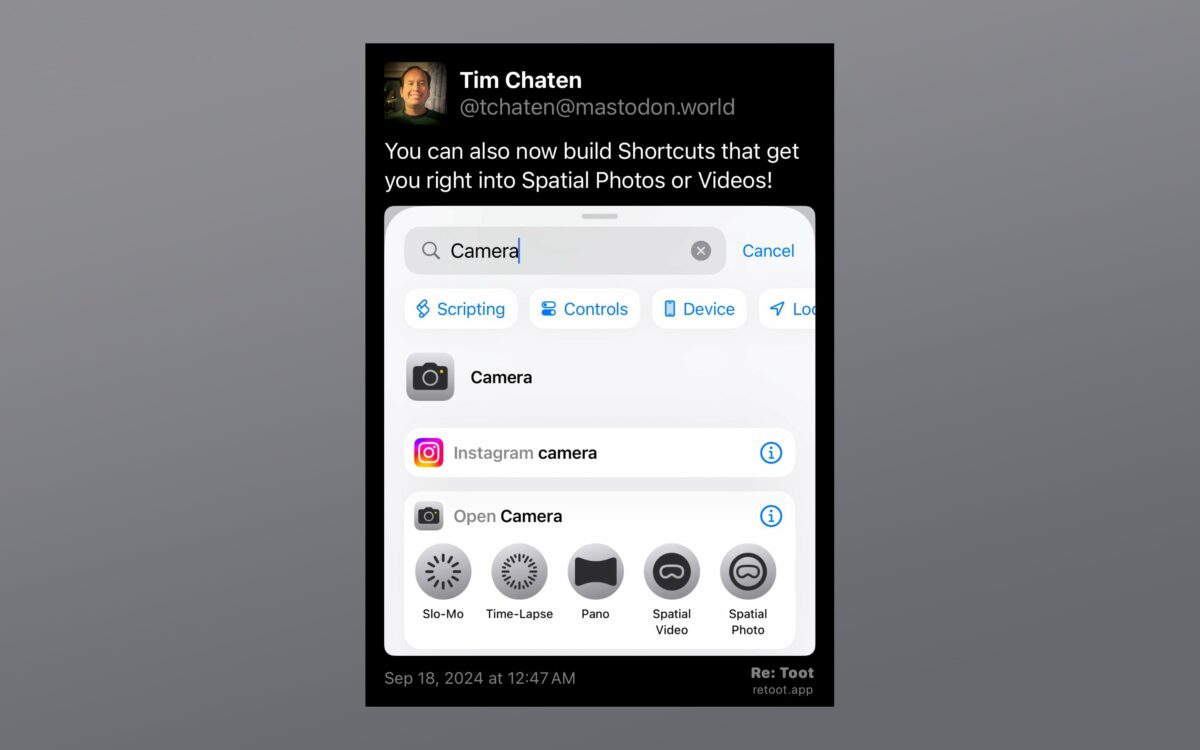
Faster search, improved categorization, and other enhancements to finding actions
Actions can be pinned for quick access
Keyboard navigation support has been expanded on macOS, including ⌘F for search, navigation with the tab and arrow keys, and more
Over 200 new icon glyphs allow greater expressivity in your shortcut icons, including animals, sports, home devices, and more
Improved performance and reliability
Control Center
Control Center now includes a Shortcuts Control that can be configured to run any available shortcut or open apps
Explore the latest shortcuts actions in iOS 18, including powerful new tools for Apple Journal, HomeKit, and Safari. Learn how to streamline your workflow with multi-conditional if statements, smart home toggles, and better organization for your Shortcuts.
Today, Apple released Final Cut Pro for iPad 2, transforming iPad into an even more powerful production studio, and Final Cut Pro for Mac 10.8 with important artificial intelligence-driven organizational updates that make workflows more efficient.
On the Live Multicam feature and Final Cut Camera app:
With the all-new Live Multicam feature, users can wirelessly connect and preview up to four cameras at once, all in one place. Using a combination of iPhone and iPad devices, users will have a director’s view of each camera and manual control of their preferences using the all-new pro app Final Cut Camera. Final Cut Camera powers Live Multicam and also works as a standalone recording app on iPhone and iPad, with the ability to adjust settings like manual focus, shutter speed, ISO, and more.
On Final Cut Pro for iPad 2:
For more storage flexibility while working with large files, Final Cut Pro for iPad 2 now supports external projects, a top-requested feature.2 Users can create new projects or open an existing project without taking up internal storage space.
On Final Cut Pro for Mac 10.8:
Enhance Light and Color automatically adjusts video for color correction, while Smooth Slo-Mo intelligently blends video frames for the highest-quality movement. Also, new organizational tools improve efficiencies in post-production workflows, including custom names for color corrections and video effects in the inspector; the ability to search for and navigate to clips with missing media or effects in the timeline index; and text-based timeline search with information like reel, scene, camera angle, and more
From Julia Roggatz at The Browser Company (and formerly of Muse) in a thread on Twitter:
Arc on iPad is here! ?
(Well, sort of…)
We heard you loud and clear, and today’s update of Arc Search will finally be usable on your iPad.
Arc Search was designed for your phone, and we’ll continue to make it our core mission to bring you the best browsing experience on the go.
But so many of you have asked for a better experience on the iPad as well, and we don’t want to keep you waiting.
Arc Search now comes with an iPad version that has all your favorite features and a browsing experience that’s streamlined for a larger screen.
[…]
While we hope to eventually explore a version of “Arc on iPad” that’s reimagined for the tablet form factor from the ground up, we wanted to give you something that we can build fast, and that you can use today.
I honestly love this approach and wish more apps would do this. iPad users are willing to wait for better versions, but leaving us without anything now means your app can’t be part of our workflow at all.
John Gruber is joined by special guests John Giannandrea, Craig Federighi, and Greg Joswiak to discuss Apple’s announcements at WWDC 2024. Recorded in front of a live (and lively) audience at The California Theatre in San Jose, Tuesday 11 June 2024.
Time Stamps:
00:00:00 – Welcome
00:01:34 – iMazing
00:03:41 – Flexibits
00:06:53 – Flighty
00:09:25 – Craig Federighi and Greg Joswiak: Platforms
The 3-in-1 Multifunction Pen from Craft Design Technology is like the grown up version of those plastic multicolor pens we all had as kids. Simply twist the barrel to change from black ink to red ink to a mechanical pencil. It uses a unique oil and water-based ink formula that’s long lasting and creates a super smooth writing experience. The metal body is decorated with the brand’s signature graphic pattern which provides a nice, comfortable grip.
This new 3-in-1 pen/pencil from Ugmonk looks fantastic.
You don’t have to wait to start using ChatGPT with Siri on your iPhone.
If the rumors are true, Apple will be integrating Open AI’s ChatGPT into iOS 18 in one way or another. This and other AI announcements could be on tap at Apple’s Worldwide Developers Conference, which you can watch live next week on June 10. But even if the ChatGPT integration with Siri is announced, we most likely won’t see iOS 18 released broadly until later this year.
Still, if you have the ChatGPT app on your iPhone, you can integrate it with Siri right now. Here’s what you need and how to do it.
The USB-C to SD Card Reader transfers high-resolution photos and videos at UHS-II speeds to your USB-C enabled Mac, iPad, or iPhone. Designed so it won’t block your other ports, it works with UHS-II SD cards and is backward compatible with other SD cards and adapters.
For years, Apple didn’t make these anymore and relied on a third-party model from SanDisk (which I still use). However, since I always lose the dang thing right when I need it most, I figured I should get another ahead of WWDC.
Ahead of WWDC kicking off on Monday, the Apple Developer app on Vision Pro has been updated with a new Environment. This marks the first Environment available in the Apple Developer app, and it plays on Apple’s artwork for WWDC 2024:
This week will be my third time landing at the San Francisco International Airport to be around San Jose and meet developers from around the world.
I went to WWDC back in 2019 as a scholar and attended community events last year because I did not get the golden ticket.
However, this time, I got one to attend WWDC 2024!
I love impromptu planning, but, I still want to have an idea of how to make the best out of this US trip. After a lot of thinking, it turns out this is what makes me happy:
Hang out with old friends I made last year!
Enjoy with friends from X (formerly Twitter) whom I am excited to meet this year IRL, and
Meet new people!
Great post – this is definitely why I go to WWDC every year.
Apple Inc. is planning to overhaul its Siri virtual assistant with more advanced artificial intelligence, a move that will let users control individual app functions with their voice, according to people with knowledge of the matter.
The new system will allow Siri to take command of all the features within apps for the first time, said the people, who asked not to be identified because the initiative isn’t public. That change required a revamp of Siri’s underlying software using large language models — a core technology behind generative AI — and will be one of the highlights of Apple’s renewed push into AI, they said.
An aspect of Mark’s report that stood out to me: iOS 18’s smarter Siri features seemingly aren’t launching until an iOS 18.x update in 2025. I’m sure Apple will preview this at WWDC, and then the features will probably have a “coming in early 2025” label on Apple’s website.
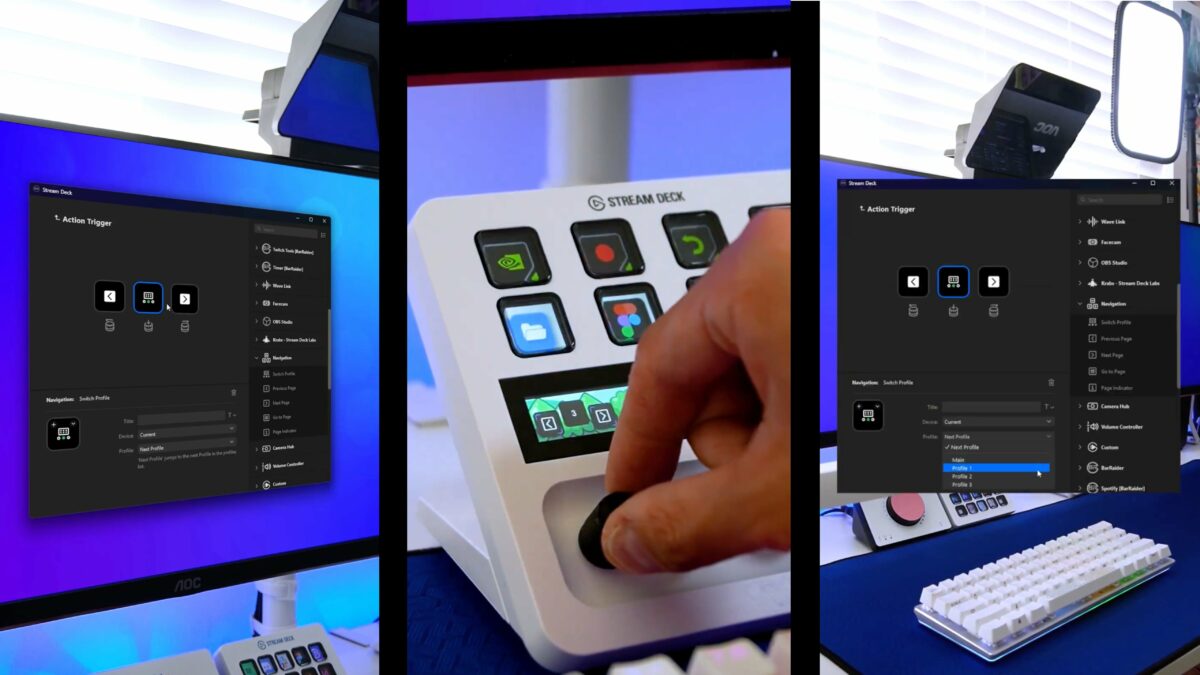
I have posted before about controlling the Prompter from the Stream Deck +, but now that I’ve had actually had both for a while it’s been excellent to actually use it in practice – the Stream Deck + is basically a must-have for the Prompter because it makes working with scripts so much better.
Most iPhone users are familiar with the way iOS throws up a prompt to turn on Low Power Mode when the battery reaches 20%. Low Power Mode can also be turned on manually at any time by going to Settings -> Battery and toggling on the switch next to Low Power Mode.
If you find yourself constantly having to turn on Low Power Mode late in the day, you can save some time by setting it up to run automatically when your battery is depleted to a specific custom level. This can be done in the Shortcuts app, as the following steps show.
Been doing this on my iPad for years – 30% is my trigger point.
Apple unveiled their new line of iPads yesterday in a pre-recorded video titled “Let Loose.” As with the previous “Scary Fast” MacBook Pro launch video, “Let Loose” ends with a tag proclaiming “Shot on iPhone” — this time adding “Edited on Mac and iPad,” and the fine print: “All presenters, locations, and aerial footage shot on iPhone.”
During the live stream I actively wondered if the iPhone acquisition of “Scary Fast” had been a one-time thing. “Let Loose” looks great, as all Apple videos do, but some shots featured a shallower depth-of-field than is possible with an iPhone-sized lens and sensor combo. At the end of the event, I wondered publicly on Threads about this.
Great details from Stu as usual, and an awesome look at how to soup up your iPhone with extra gear.
What’s almost as exciting as our new iPad Pros and iPad Airs? Why, of course, new iPad Pro and iPad Air product bezels for your designs available as PSDs, PNGs and in the @Sketch product bezel library in all colors!